How to Choose the Best IPTV Service: 2026 Buying Guide
Selecting a trustworthy IPTV service in the modern digital entertainment ecosystem requires navigating past misleading marketing slogans, unverified claims, and volatile budget reseller platforms. With cord-cutting accelerating worldwide, thousands of television viewers are seeking alternatives to restrictive legacy cable contracts and fragmented, expensive direct-to-consumer subscriptions. However, entering the IPTV market without an objective technical framework frequently leads to frustrating issues: continuous buffering during high-stakes championship sports matches, broken stream URLs, inaccurate electronic program guides (EPG), missing customer support, and unannounced server shutdowns.
A high-performance television streaming experience does not come from choosing the platform advertising the highest theoretical channel count or the lowest price. A service promoting 75,000 channels is worthless if the specific sports broadcast or documentary network you want to watch stalls every forty seconds during evening peak hours.
Streaming fidelity is determined by tangible engineering foundations: dedicated broadcast server backbones, intelligent Content Delivery Network (CDN) edge routing, proper H.264, H.265 (HEVC), and AV1 compression profiles, uncompressed multi-channel audio delivery, and responsive technical assistance.
This in-depth evaluation guide provides the exact benchmarks, diagnostic workflows, and hardware insights needed to identify a dependable television streaming service that brings steady, broadcast-quality television directly to your screens.
Experience Kemo IPTV
Upgrade your streaming with high-performance anti-freeze infrastructure. Over 50,000 live channels, 4K 60FPS sports, and 200,000+ VODs on demand.
Quick Summary: The Essential IPTV Evaluation Checklist
Before exploring in-depth network protocols and stream encoding parameters, keep this practical checklist in mind whenever testing or reviewing a potential streaming provider:
- Dedicated Multi-Cluster CDN Infrastructure: Confirm the provider routes streams through geographically distributed edge nodes and dynamic load balancers rather than a solitary, congested virtual private server (VPS).
- Authentic Bitrates Over Surface Resolution: Look for true 1080p and 4K broadcasts carrying 8 to 22 Mbps with high temporal frame rates (50/60 FPS for live sports), avoiding low-bitrate 3 Mbps feeds falsely marked with "4K" labels.
- Advanced Anti-Freeze & Packet Recovery: Look for automated failover clusters that absorb network transit jitter and protect your stream during high-concurrency events like the Super Bowl or Champions League fixtures.
- Universal Protocol Compatibility: The subscription should natively support standard Xtream Codes API endpoints and structured M3U playlists across leading player applications such as TiviMate, IPTV Smarters Pro, and tvOS clients.
- Accurate Electronic Program Guide (EPG): Fully synchronized XMLTV schedule feeds providing at least 7 days of comprehensive metadata, program summaries, and integrated catch-up television.
- Curated, Active Channel Lineups: Organized channel groups structured by region and genre, pruned continuously to eliminate duplicate links, dead feeds, and placeholder streams.
- Transparent Multi-Device Allocations: Clear simultaneous screen allowances (1, 2, or 3 concurrent connections) so households can stream on several displays simultaneously without unexpected account locks.
- Direct, Human-Operated Support Desks: Accessible support through real-time communication channels such as WhatsApp, capable of troubleshooting routing or credential questions in minutes.
- Prepaid Billing Without Hidden Recurring Contracts: Transparent terms offering 3-month, 6-month, or 12-month access without automatic recurring credit card deductions.
- Low-Risk Trial Verification: The availability of short-term testing windows allowing you to stress-test stream stability during live prime-time sporting events before committing to long-term plans.
The Landscape of Modern IPTV: Separating Marketing Hype from Technical Reality
The transition from conventional coaxial and satellite broadcasting toward Internet Protocol Television (IPTV) has permanently redefined home entertainment. By transmitting digitized video packets across private content delivery backbones and public internet routes, IPTV liberates households from proprietary set-top equipment, geographic signal restrictions, and bundled cable pricing tiers.
However, because the barrier to launching a basic reseller storefront is low, the market is characterized by extreme disparities in reliability. Understanding the mechanical differences between hobbyist resellers and enterprise streaming infrastructures is the first line of defense for every consumer.
The Problem with "100,000 Channels" Marketing
One of the most persistent promotional tactics employed by budget operations is boasting astronomical channel counts: 50,000, 80,000, or even 120,000 channels.
When subjected to forensic technical examination, these bloated playlists reveal how those figures are artificially produced:
- Scraped Web Streams: Automated web crawlers aggregate low-bitrate public news loops, regional webcams, and unmonitored feeds that break within days.
- Redundant Duplicates: The exact same regional channel is copied dozens of times under slight naming variations across multiple categories.
- Dead and Inactive Links: Hundreds of playlist entries point to offline IP addresses or frozen color-bar test screens that remain in the index indefinitely.
- Foreign Feeds Without Audio: Uncurated international channels broadcast with missing audio tracks, desynchronized sound, or wrong aspect ratios.
Importantly, an oversized playlist creates significant performance bottlenecks on your streaming client:
- Memory Overhead: Loading a 70MB M3U text file containing 100,000 lines strains the RAM of hardware like the Fire TV Stick, leading to application crashes.
- Slow Playlist Syncing: Initial playlist parsing and background EPG synchronization take minutes instead of seconds every time you launch the player.
- Broken Guide Mapping: Massive, unstructured bouquets make it impossible for XMLTV guides to accurately pair program data, leaving your electronic program guide filled with "No Information Available" notices.
A quality-focused service like Kemo IPTV emphasizes curated, dependable channel bouquets that viewers actively enjoy: major national networks, premier sports channels, 24/7 news desks, educational channels, and children’s entertainment. Quality, high server uptime, and organized categorization consistently provide a superior viewing experience compared to sheer volume.
Understanding True 4K Broadcasts vs. Upscaled Video
Another widespread marketing trap is labeling standard streams as "4K Ultra HD." A video stream can easily be tagged in its metadata container with a 3840x2160 pixel resolution flag while originating from a 720p or 1080i source that was run through a cheap digital hardware scaler.
True 4K video reproduction requires significant transmission bandwidth and encoding resources:
- A genuine 4K UHD 60 FPS live sports stream requires an uninterrupted, clean bitrate between 18 Mbps and 30 Mbps.
- The stream must be compressed with modern codecs like High-Efficiency Video Coding (HEVC / H.265) or AV1 to maintain color fidelity and motion sharpness without macroblocking artifacts.
- The receiving client box requires a hardware video decoder capable of processing 10-bit color depth (Main 10 profile) and HDR metadata without overheating or dropping frames.
When an unverified reseller offers thousands of "4K channels" that only draw 4 Mbps of bandwidth, you are viewing an over-compressed, upscaled stream. During dynamic sports sequences—such as a fast breakaway or rapid camera pan—the picture will soften, blur, or break into visible pixel blocks.
The 8 Critical Evaluation Pillars of High-Performance IPTV
To objectively assess any prospective streaming platform, apply these eight technical criteria before subscribing:
+-------------------------------------------------------------------------+
|                  THE 8 PILLARS OF IPTV EVALUATION                       |
+-------------------------------------------------------------------------+
| 1. Server Infrastructure  | Geographically distributed CDN, load balance|
| 2. Bitrates & Framerates  | True H.265/HEVC, 50/60 FPS sports, AC3 audio|
| 3. Anti-Freeze Resilience | Proactive buffering, zero-freeze architecture|
| 4. EPG Accuracy & Catch-Up| Multi-day XMLTV synchronization, catch-up TV |
| 5. Curated VOD Library    | Regularly refreshed 4K films & multi-audio  |
| 6. Broad Compatibility    | Firestick, Apple TV, Android, Smart TVs, PC |
| 7. Human-Driven Support   | Rapid WhatsApp assistance in under 5 minutes|
| 8. Transparent Billing    | Prepaid models, zero locked contracts, safety|
+-------------------------------------------------------------------------+
Pillar 1: Server Architecture and Content Delivery Networks (CDNs)
The architecture powering the server backbone is the single greatest determinant of streaming reliability.
Low-cost IPTV providers often rent an unmanaged virtual private server (VPS) hosted within a single regional datacenter. Under standard weekday viewing conditions, that server may deliver acceptable feeds. However, when hundreds of thousands of concurrent users tune in on a Saturday afternoon for major Premier League, La Liga, or NFL matches, the server's network interfaces, memory bus, and CPU queues become saturated. The result is systemic stuttering, buffering loops, and connection drops across every subscriber.
In contrast, professional broadcast operations implement a multi-tiered Content Delivery Network (CDN):
- Geographically Distributed Edge Nodes: Stream data is routed to regional caching nodes positioned close to the user's internet service provider (ISP), minimizing latency and network hops.
- Dynamic Traffic Load Balancing: When viewer counts spike on a specific high-demand channel, automated load balancing clusters re-allocate traffic across secondary backbones before hardware limits are reached.
- Redundant Satellite Downlink Ingests: High-reliability providers capture primary broadcast signals using multiple satellite downlink facilities. If weather conditions affect an uplink transponder in one region, the system seamlessly fails over to an alternative ground station in milliseconds without interrupting active viewers.
Pillar 2: Stream Encoding, Bitrates, and Frame Rates
Visual fidelity is dictated by mathematical data throughput (bitrate) combined with compression efficiency:
| Resolution Category | Target Frame Rate | Clean Bitrate Benchmark | Recommended Codec | Primary Viewing Purpose |
|---|---|---|---|---|
| Standard Definition (SD) | 25 / 30 FPS | 2.5 – 3.5 Mbps | H.264 / AVC | Mobile devices, low-bandwidth connections |
| High Definition (720p) | 50 / 60 FPS | 5.0 – 7.5 Mbps | H.264 / H.265 | Standard general programming, news |
| Full HD (1080p Standard) | 25 / 30 FPS | 8.0 – 11.0 Mbps | H.264 / H.265 | Dramas, sitcoms, documentaries |
| Full HD (1080p Sports) | 50 / 60 FPS | 12.0 – 17.0 Mbps | H.265 / HEVC | Live Premier League, NFL, NBA, Formula 1 |
| True 4K Ultra HD | 50 / 60 FPS | 20.0 – 35.0 Mbps | H.265 (10-bit) / AV1 | Premier sports events, cinema releases |
Pay special attention to the difference between 30 FPS and 60 FPS (or 50 FPS for European PAL signals). For standard narrative television, 24 to 30 frames per second is natural. But for live sports, 30 FPS causes noticeable motion blur, jittery ball movement, and visual fatigue.
High-tier platforms ensure their primary sports bouquets broadcast at true 50 or 60 FPS. If a provider cannot confirm that their main sports networks broadcast at 60 FPS, look for a more capable service. For deeper insights on sports streaming optimization, explore our best IPTV sports streaming setup guide.
Pillar 3: Anti-Freeze Architecture and Error Correction
Internet transit is naturally dynamic. Even with a high-capacity fiber broadband connection, momentary latency spikes, route rerouting, and packet jitter occur across the public network between your ISP and the streaming datacenter.
Basic IPTV setups transmit unbuffered MPEG-TS packets over fragile single-socket connections. When two or three consecutive video packets are dropped due to network congestion, the player application halts, showing a spinning loading indicator while trying to re-establish the connection.
Modern anti-freeze implementations employ comprehensive error-mitigation techniques:
- Proactive Buffer Pre-Loading: The stream server delivers a short 2-to-3-second video cushion during the initial connection handshake. This allows your local player application to maintain smooth playback even through momentary transit spikes.
- Intelligent Flow Throttling: On supported players, data delivery dynamically accommodates brief local Wi-Fi fluctuations before the playback buffer empties.
- Stream Recovery Protocols: When packet drops happen, the player seamlessly requests recovery chunks or switches transport layers without freezing the user interface.
To understand how to tune your player for sub-second channel transitions, see our technical walkthrough on fixing slow IPTV channel switching.
Pillar 4: Accurate Electronic Program Guides (EPG) & Catch-Up TV
Television without a reliable schedule guide becomes cumbersome to navigate. A properly integrated EPG transforms your IPTV player into a full-featured television experience:
- High-Quality XMLTV Sourcing: Premium providers provide dedicated, regularly refreshed XMLTV feeds synchronized with precise regional time offsets, avoiding misaligned program schedules.
- Rich Program Metadata: A comprehensive guide includes accurate show titles, detailed episode descriptions, original air dates, and genre categories.
- Catch-Up TV Infrastructure: Top services archive recent broadcast streams across high-speed server clusters for 24 to 72 hours. This lets you replay live events you missed, restart programs in progress, or scroll backward through your player’s timeline.
Pillar 5: Curated Video on Demand (VOD) Library
While live television is the primary reason many choose IPTV, an organized on-demand catalog provides added convenience:
- Modern Multi-Channel Audio: Movies and series should feature true Dolby Digital (AC3/E-AC3) or surround sound tracks alongside standard stereo audio, enabling full soundbar and home theater performance.
- Integrated Subtitles: Quality VOD streams feature embedded, synchronized subtitle tracks across multiple languages, rather than missing or unsynchronized text.
- Systematic Catalog Curation: Dead links, broken files, and low-grade recordings must be removed regularly, with new releases updated in clean 1080p and 4K digital formats.
Pillar 6: Broad Hardware and Operating System Compatibility
Your IPTV subscription should work across the hardware you already have at home, without requiring proprietary set-top boxes:
- Amazon Fire TV Ecosystem: Firestick 4K, 4K Max, and Fire TV Cube. (See our Firestick IPTV installation walkthrough).
- Apple Devices: Apple TV 4K (tvOS), iPad, iPhone, and Mac. (Check our Apple TV 4K IPTV setup guide).
- Android TV & Google TV: Nvidia Shield TV Pro, Chromecast with Google TV, Xiaomi Mi Box, and modern Sony/TCL smart TVs.
- Smart TV Native Platforms: Samsung Tizen and LG webOS using compatible player applications like IBO Player or Smart IPTV.
- Personal Computers: Windows PC and macOS via VLC Media Player, IPTV Smarters desktop, or browser-based players.
- Dedicated Hardware Boxes: Formuler Z-series and MAG devices utilizing Stalker portal MAC address integration.
Pillar 7: Direct, Accessible Customer Assistance
When streaming issues arise—such as an ISP route block, an expired portal token, or credential typos—having accessible technical support is invaluable.
Be cautious of providers that rely exclusively on slow, unmonitored email tickets where responses take 48 to 72 hours. High-standard providers offer direct, human-operated communication channels, such as WhatsApp support, capable of resolving routing or credential issues within minutes.
Pillar 8: Transparent, Prepaid Billing Models
Protecting your financial privacy is an essential part of selecting an IPTV provider:
- No Long-Term Contracts: Avoid providers that demand multi-year commitments or insist on automatic recurring credit card billings that are difficult to cancel.
- Straightforward Prepaid Options: Choose transparent prepaid packages (such as 3-month, 6-month, or 12-month access). View our current options on the Kemo IPTV pricing page.
- Secure Payment Channels: Use secure payment methods like verified merchant processors, PayPal, or cryptocurrency transfers for enhanced privacy.
5 Practical Tests to Run During Your IPTV Trial
Before committing to an extended subscription plan, utilize a trial period to rigorously test the provider's technical infrastructure:
+-------------------------------------------------------------------------+
|                  THE 5-STEP IPTV TRIAL STRESS TEST                      |
+-------------------------------------------------------------------------+
| Test 1: Prime-Time Sports Stress Test (Saturday / Sunday peak hours)    |
| Test 2: Channel Zapping & Initialization Speed (Target: < 1.5 seconds)  |
| Test 3: Stream Health & Real Bitrate Inspection via Player OSD          |
| Test 4: Electronic Program Guide (EPG) Timezone & Metadata Accuracy     |
| Test 5: ISP Throttling Diagnostic (Compare direct vs. encrypted routes) |
+-------------------------------------------------------------------------+
Test 1: The Prime-Time Live Sports Stress Test
Do not judge an IPTV service by how smoothly it streams an obscure news channel on a Tuesday morning. The real test of an IPTV network happens during major live events—such as Saturday afternoon Premier League matches, Sunday NFL games, or pay-per-view boxing cards.
During peak viewing hours:
- Tune into the primary broadcast feeds covering high-demand matches.
- Watch the stream continuously for at least 30 to 45 minutes without changing channels.
- Track any signs of looping (where 5 seconds of video repeats), audio desynchronization, or sudden resolution degradation. If the stream buffers repeatedly during marquee games, the provider lacks the load-balanced server headroom necessary for live sports.
Test 2: Channel Zapping & Initialization Speed
The speed at which a channel loads after selection provides valuable clues about backend server performance:
- Select five different channels across five distinct categories (e.g., US Sports, UK Entertainment, Canada News, French Cinema, Documentary).
- Measure the time from clicking the channel name until uninterrupted video and audio play on screen.
- On a properly configured player connected to stable broadband, stream initialization should complete in 1 to 2 seconds. If zapping regularly takes 4 to 8 seconds, the provider’s ingest servers may be congested, or their playlist routing lacks edge caching.
Test 3: Stream Health & Bitrate Verification
Modern IPTV player applications—including TiviMate and IPTV Smarters Pro—feature on-screen display (OSD) diagnostic panels that reveal stream parameters:
- Open your player's stream information panel while watching a 1080p channel.
- Confirm the true rendering resolution reads 1920x1080, not 1280x720.
- Check the frame rate indicator. Live sports should display 50.00 FPS or 59.94/60.00 FPS. If the frame rate stays at 25 or 30 FPS, fast-moving action will lack smoothness.
- Verify the video codec. Advanced providers utilize H.264 or H.265 (HEVC) streams that deliver high visual clarity without overwhelming your bandwidth.
Test 4: EPG Timezone Alignment and Metadata Coverage
Check the electronic program guide across your favorite channel bouquets:
- Confirm that currently airing programs match the actual live broadcast. If the EPG shows a morning news program while an evening talk show is playing, the XMLTV source lacks proper UTC timezone adjustment.
- Verify whether program entries display detailed episode summaries rather than blank placeholders.
- If your subscription includes catch-up capability, test whether you can scroll backward in the guide and stream a program broadcast earlier in the day.
Test 5: ISP Throttling & Route Diagnostic
Internet service providers often inspect network traffic and intentionally throttle video streams heading toward recognizable IPTV hosting providers during major sporting events.
To check if your ISP is affecting stream stability:
- When experiencing unexpected buffering on a channel, perform an immediate connection speed check via our IPTV internet speed requirements guide.
- Activate a reputable, fast VPN with strong encryption protocols (such as WireGuard).
- Re-launch the stream. If the stream immediately stabilizes and plays smoothly over the encrypted VPN tunnel, your ISP was throttling direct connections to the IPTV server. A well-engineered service like Kemo IPTV routes traffic through multi-hop CDN endpoints that help minimize ISP traffic discrimination.
Technical Comparison: IPTV Protocol Architectures
When configuring your television player, you will generally have the choice between Xtream Codes API connection and raw M3U playlist URLs. Understanding how these protocols work helps ensure you set up your hardware correctly:
| Feature / Metric | Xtream Codes API (Recommended) | Static M3U Plus URL | Stalker Portal (MAC Based) |
|---|---|---|---|
| Authentication Method | Server URL, Username, Password | Single long URL with token query | Device Hardware MAC Address |
| Setup Simplicity | Very Simple & Easy to Type | Prone to typing errors on TV remotes | Requires MAC registration with provider |
| VOD & Series Grouping | Automatically categorized into clean menus | Mixed into a single long channel list | Categorized within portal UI |
| EPG Integration | Fully automatic EPG URL assignment | Requires manual XMLTV URL entry | Handled automatically by portal |
| Account Expiry Tracking | Displays active status & date inside app | No visible account information | Stalker middleware checks status |
| Multi-Device Mobility | Easy to log in on multiple home devices | Easy to transfer between devices | Locked to a single device MAC address |
For the cleanest user experience, select Xtream Codes API whenever your player application supports it. It provides organized category navigation, streamlined login credentials, and automatic EPG synchronization without needing to type lengthy URLs using a remote control.
Avoiding Common IPTV Scams and Red Flags
The open nature of the IPTV market means consumers must remain vigilant against disreputable sellers. Watch out for these four common warning signs:
Red Flag 1: The "Lifetime Subscription" Deception
Never buy a "Lifetime IPTV Subscription." These offers—frequently advertised on auction platforms and social media forums for a one-time fee of $40 or $75—are unsustainable. Running reliable video servers, acquiring satellite downlinks, and maintaining high-speed CDN bandwidth requires ongoing monthly infrastructure expenditures. Providers selling "lifetime" plans typically shut down their servers after a few months once initial revenue dries up, only to re-emerge under a new brand name. Choose transparent monthly, quarterly, or annual prepaid subscriptions.
Red Flag 2: Complete Absence of Live Support
If a provider's website only features an unmonitored contact form, lists no direct chat options, and provides no documentation, proceed with caution. If your account credentials encounter a problem on a weekend, you will have no way to get assistance before the games conclude.
Red Flag 3: Anonymous Resellers with Free Email Addresses
Check the contact and checkout details. If payment requests direct you to personal email accounts on free webmail domains without professional payment gateways or merchant processing protections, you are likely dealing with an unverified third-party reseller who lacks direct access to server administration.
Red Flag 4: Unusually Cheap Services Advertising Every Global Channel
If a service advertises every worldwide channel in 4K for $2 per month, their business model relies on overloading cheap servers with tens of thousands of users. You will inevitably experience severe buffering during prime-time hours when server loads peak.
Optimizing Your In-Home Network for 4K IPTV
Even an enterprise-grade IPTV service can experience stuttering if your home local area network (LAN) suffers from internal bottlenecks. Follow these three foundational networking recommendations to ensure consistent stream delivery:
+-------------------------------------------------------------------------+
|                  IN-HOME NETWORK OPTIMIZATION HIERARCHY                 |
+-------------------------------------------------------------------------+
| LEVEL 1 (Best):    Hardwired Cat6 Ethernet Direct to Router             |
| LEVEL 2 (Good):    5 GHz Wi-Fi 6 Band (Within 5 meters of access point) |
| LEVEL 3 (Avoid):   2.4 GHz Congested Wi-Fi Band (High interference)     |
+-------------------------------------------------------------------------+
- Prioritize Wired Ethernet Over Wi-Fi: While modern Wi-Fi 6 is fast, wireless airwaves are subject to interference from neighboring networks, smart home appliances, and physical walls. A direct Cat6 Ethernet cable connection provides reliable, low-jitter throughput with zero packet loss.
- Utilize 5 GHz Wi-Fi When Wireless Is Unavoidable: If running an Ethernet cable to your living room television is impractical, connect your streaming device exclusively to your router’s 5 GHz Wi-Fi frequency band. The older 2.4 GHz band is crowded with Bluetooth signals and household appliances, resulting in micro-drops that trigger buffering wheels.
- Configure Custom DNS Resolvers: Many default internet service provider DNS servers selectively slow down or misdirect IPTV streaming queries. Manually change your router or streaming player’s DNS servers to independent, secure resolvers such as Cloudflare DNS (1.1.1.1 and 1.0.0.1) or Google Public DNS (8.8.8.8 and 8.8.4.4). This simple adjustment reduces stream connection lookup latency and prevents DNS-level ISP blocking.
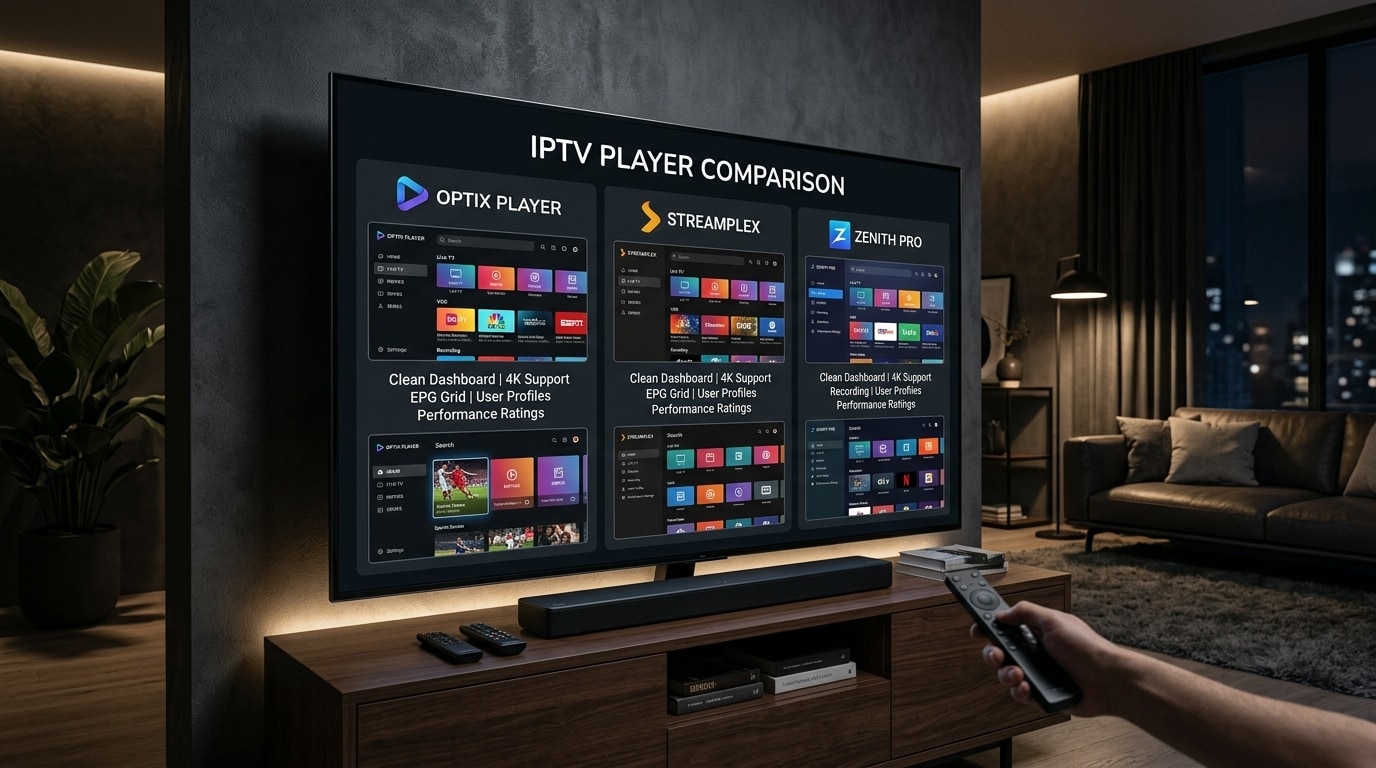
For a comprehensive hardware walkthrough, consult our best IPTV player applications and setup review.
Frequently Asked Questions
Final Recommendation: Selecting the Right Service for Your Needs
Investing a little time into evaluating an IPTV provider before purchasing will save you from common streaming headaches down the line. Avoid providers that make unrealistic claims about 100,000 channels, steer clear of "lifetime" subscription traps, and prioritize verified server performance, genuine 60 FPS sports streams, and accessible customer support.
If you are ready to experience high-stability 4K streaming with responsive technical support, explore the Kemo IPTV channel lineup or test our server infrastructure with a dedicated subscription plan on our pricing page. If you have specific setup questions regarding your home streaming hardware, feel free to contact our technical team through our live support desk.